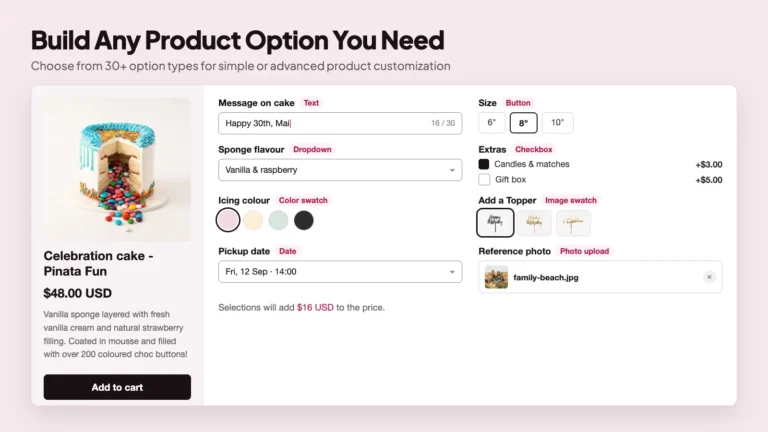
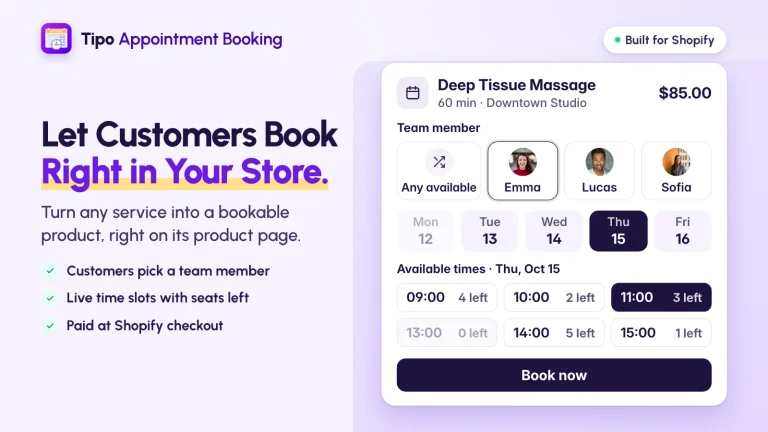
10 Best Shopify Apps for Furniture Stores in 2026
Selling furniture online comes with challenges that most ecommerce businesses don’t face. Customers want to check dimensions, compare fabric samples, understand delivery costs and see how furniture will look in their homes before placing an order.
For custom furniture businesses, there’s also the challenge of calculating prices based on materials, measurements and finishes.
Apps like Easify, Zakeke, Intuitive Shipping and Zapiet can help solve these problems. We’ve selected ten Shopify apps based on their published features, pricing and usefulness for furniture retailers, manufacturers and home decor businesses.
Best Shopify Apps for Furniture Stores Compared
| Shopify app | Best for | Shopify rating | Free plan | Starting paid price |
| Easify | Custom furniture pricing | 4.9/5 | Yes | $9.99/mo |
| Zakeke | 3D and AR visualization | 4.6/5 | Development stores only | $69.90/mo |
| Color Swatch King | Fabric and material swatches | 5.0/5 | Trial and development stores | $14.90/mo on Basic Shopify |
| Intuitive Shipping | Furniture shipping rates | 5.0/5 | Testing only | $70/mo |
| Zapiet | Delivery scheduling | 4.9/5 | No | $29.99/mo |
| STOQ | Preorders and deposits | 5.0/5 | Yes | $10/mo |
| SA Request a Quote | Custom furniture quotations | 4.9/5 | Yes | $16.99/mo |
| Lookbook Shop by Gallery Ace | Shoppable room galleries | 4.8/5 | Yes | $4.99/mo |
| SampleKit | Material samples | Not yet rated | Yes | $4.99/mo |
| Shopify Search & Discovery | Product filtering | 2.7/5 | Yes | Free |
Prices are in USD. Ratings and subscription costs are based on available Shopify App Store listings and may change. Recommendations are based on published features and merchant feedback, rather than independent hands-on testing.
10 Best Shopify Apps for Furniture Stores
1. Easify Custom Product Options – Best for Custom Furniture
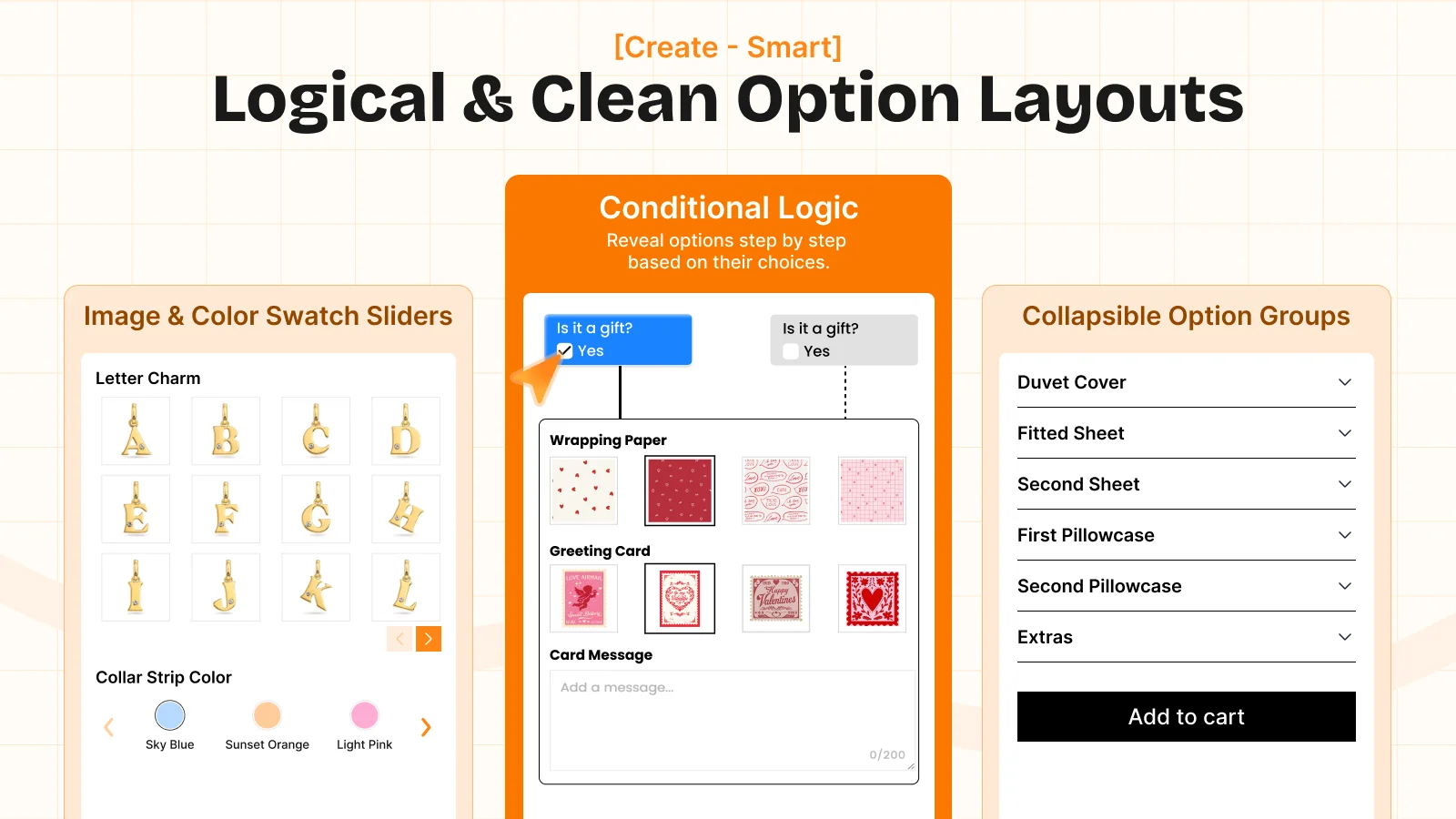
Easify Custom Product Options is our first choice for furniture businesses selling made-to-measure products. It lets customers select materials, enter custom dimensions, choose finishes and purchase additional accessories without creating hundreds of Shopify variants.
Its formula-based pricing makes it particularly useful for furniture manufacturers.
Why Choose Easify Custom Product Options?
- Calculate custom furniture prices: Use customer measurements to determine the selling price.
- Offer different materials: Charge different amounts for oak, walnut, pine or premium upholstery.
- Show relevant customization fields: Display drawer or shelving options only when customers select the appropriate furniture configuration.
- Collect customer requirements: Accept design instructions, reference photographs and drawings.
- Sell additional services: Offer assembly, protective finishes and other paid upgrades.
What Types of Furniture Stores Is It Best For?
| Furniture type | How Easify helps |
| Dining tables | Custom length, width and wood selection |
| Wardrobes | Dimensions, doors and shelving options |
| Sofas | Fabric, configuration and cushion selections |
| Cabinets | Custom measurements and finishes |
| Beds | Headboard, upholstery and size customization |
Plans and Pricing
| Plan | Monthly price | Best for |
| Free | $0 | Basic customization and conditional fields |
| Pro | $9.99 | Pricing formulas, uploads and paid options |
| Premium | $19.99 | Visual previews and order exports |
| Enterprise | $99.99 | Custom integrations and setup assistance |
Paid plans include a 14-day trial.
Where Easify Falls Short
Complicated furniture pricing formulas require careful setup and testing. Businesses that calculate manufacturing costs using detailed material requirements may still need custom development.
Our recommendation: Choose Easify if you sell made-to-measure furniture and need product prices to change according to customer requirements.
Install Easify | View Live Demo
2. Zakeke – Best for 3D and AR Furniture Visualization
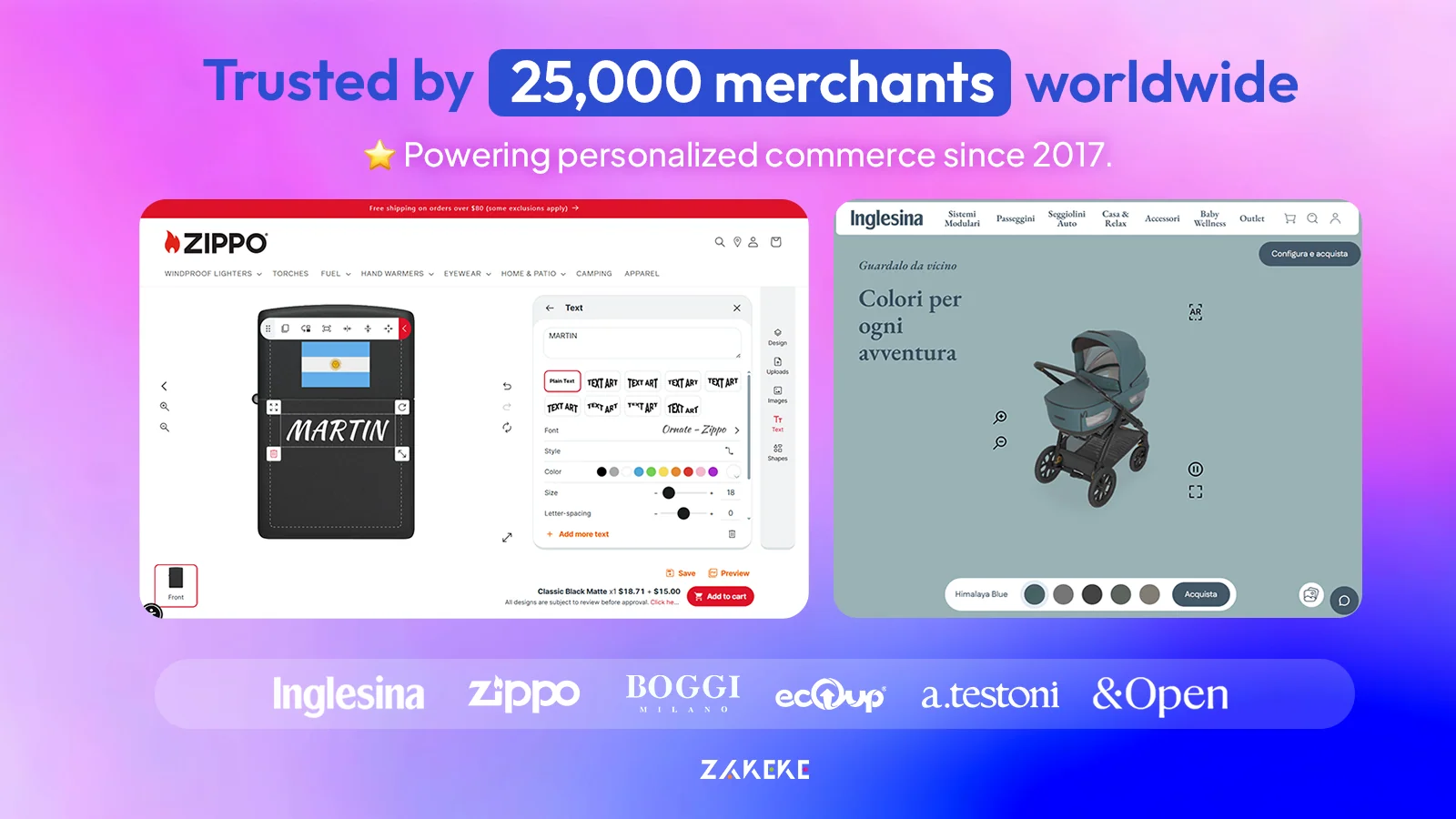
Zakeke helps customers visualize furniture before purchasing. Instead of relying entirely on static product photographs, customers can interact with 3D models, change supported materials and use augmented reality to see furniture in their surroundings.
This is particularly useful when selling expensive furniture that customers cannot inspect in a physical showroom.
Why Choose Zakeke?
- Show furniture from different angles: Let shoppers rotate supported 3D furniture models.
- Visualize furniture at home: Help customers see how a sofa or table might look in their room.
- Preview material changes: Display different finishes, colors and textures.
- Build configurable furniture: Allow customers to select individual components.
- Answer visual buying questions: Give shoppers a better idea of the product’s shape and appearance before ordering.
What Types of Furniture Stores Is It Best For?
| Furniture type | How Zakeke helps |
| Sofas | Preview different upholstery colors |
| Dining tables | Visualize finishes and table designs |
| Modular furniture | Configure individual components |
| Office desks | View furniture in a workspace |
| Luxury furniture | Interactive product presentations |
Plans and Pricing
| Plan | Monthly price | Published products | Transaction fee |
| Starter | $69.90 | 10 | 1.9% |
| Grow | $129.90 | 50 | 1.7% |
| Scale | $299.90 | 100 | 1.5% |
The transaction fees apply to products sold through Zakeke. A free plan is available for development stores, and paid plans include a 14-day trial.
Where Zakeke Falls Short
Preparing accurate 3D furniture models may require additional design work. Subscription costs and transaction fees can also become expensive for furniture businesses with large catalogs.
Our recommendation: Choose Zakeke for premium furniture or configurable products where visualization helps customers make purchasing decisions. Don’t pay for 3D technology if ordinary product photographs already meet your customers’ needs.
Install Zakeke | View Live Demo
3. Color Swatch King – Best for Material and Fabric Swatches
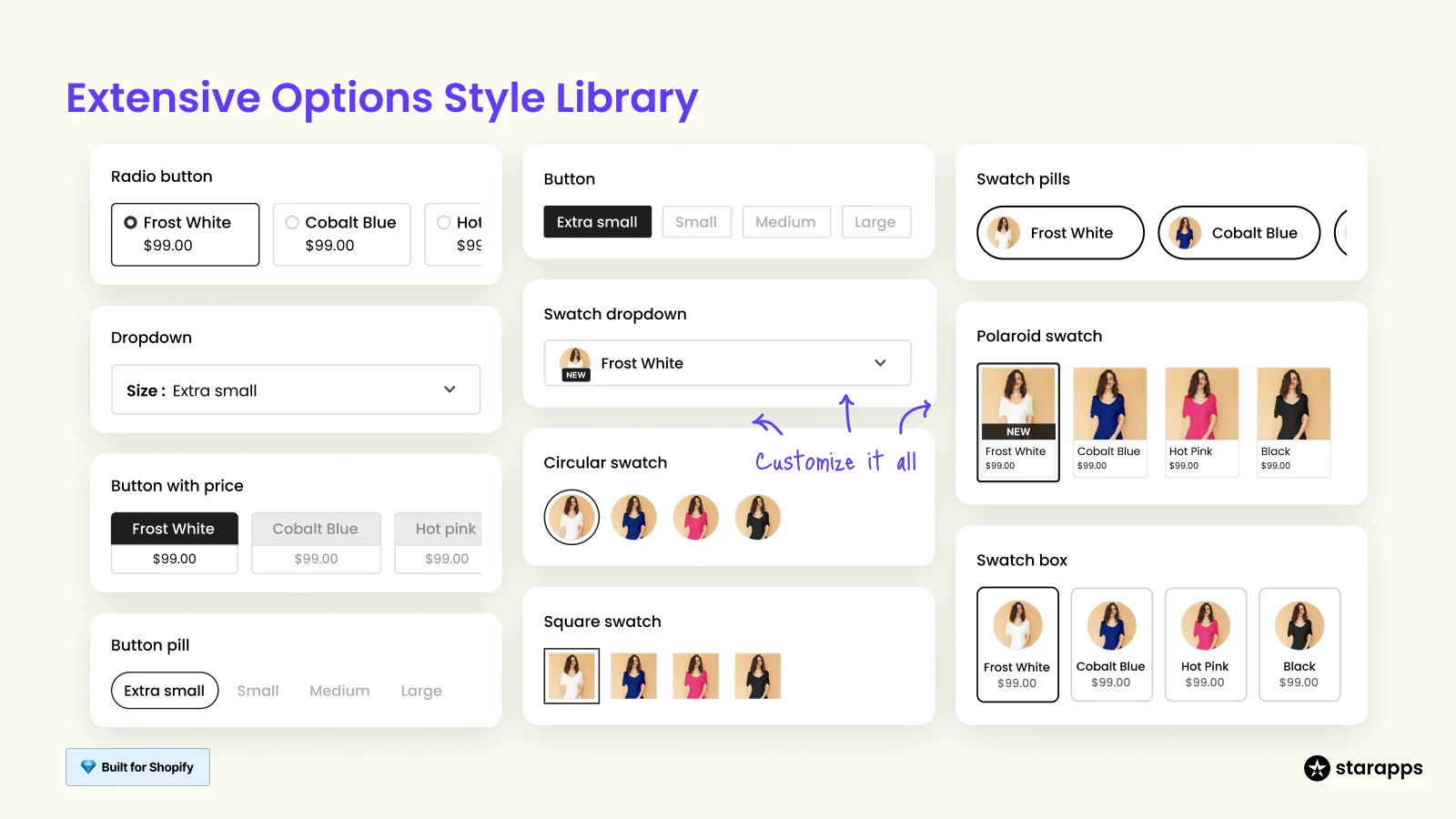
Color Swatch King replaces ordinary product option selectors with visual swatches. For furniture stores, this means customers can compare upholstery fabrics, leather colors and wood finishes without guessing what each option looks like.
Why Choose Color Swatch King?
- Display fabric textures: Use actual material photographs instead of plain color circles.
- Show wood finishes: Help customers compare natural oak, dark walnut and painted finishes.
- Improve collection browsing: Display available product colors before customers open a product page.
- Group related furniture products: Connect separately listed products through visual selectors.
- Show relevant product images: Help shoppers identify the appearance of their selected variant.
What Types of Furniture Stores Is It Best For?
| Furniture type | How Color Swatch King helps |
| Sofas | Upholstery fabric and leather selections |
| Chairs | Seat material and frame colors |
| Wooden tables | Wood finishes and stain options |
| Beds | Headboard fabric choices |
| Cabinets | Painted and natural wood finishes |
Plans and Pricing
Pricing depends on your Shopify subscription.
| Shopify plan | Monthly app price |
| Pause & Build | $5 |
| Basic | $14.90 |
| Grow | $29.90 |
| Advanced | $49.90 |
| Plus | $99.90 |
A 30-day free trial is available. Free access is limited to eligible trial, partner and staff stores.
Where Color Swatch King Falls Short
The app becomes more expensive as you upgrade your Shopify subscription. It also doesn’t replace a furniture price calculator or an advanced product configurator.
Our recommendation: Choose Color Swatch King if your furniture comes in multiple colors, fabrics and finishes. Check your Shopify theme’s existing swatch features before installing it.
Install Color Swatch King | View Live Demo
4. Intuitive Shipping – Best for Furniture Shipping Rates
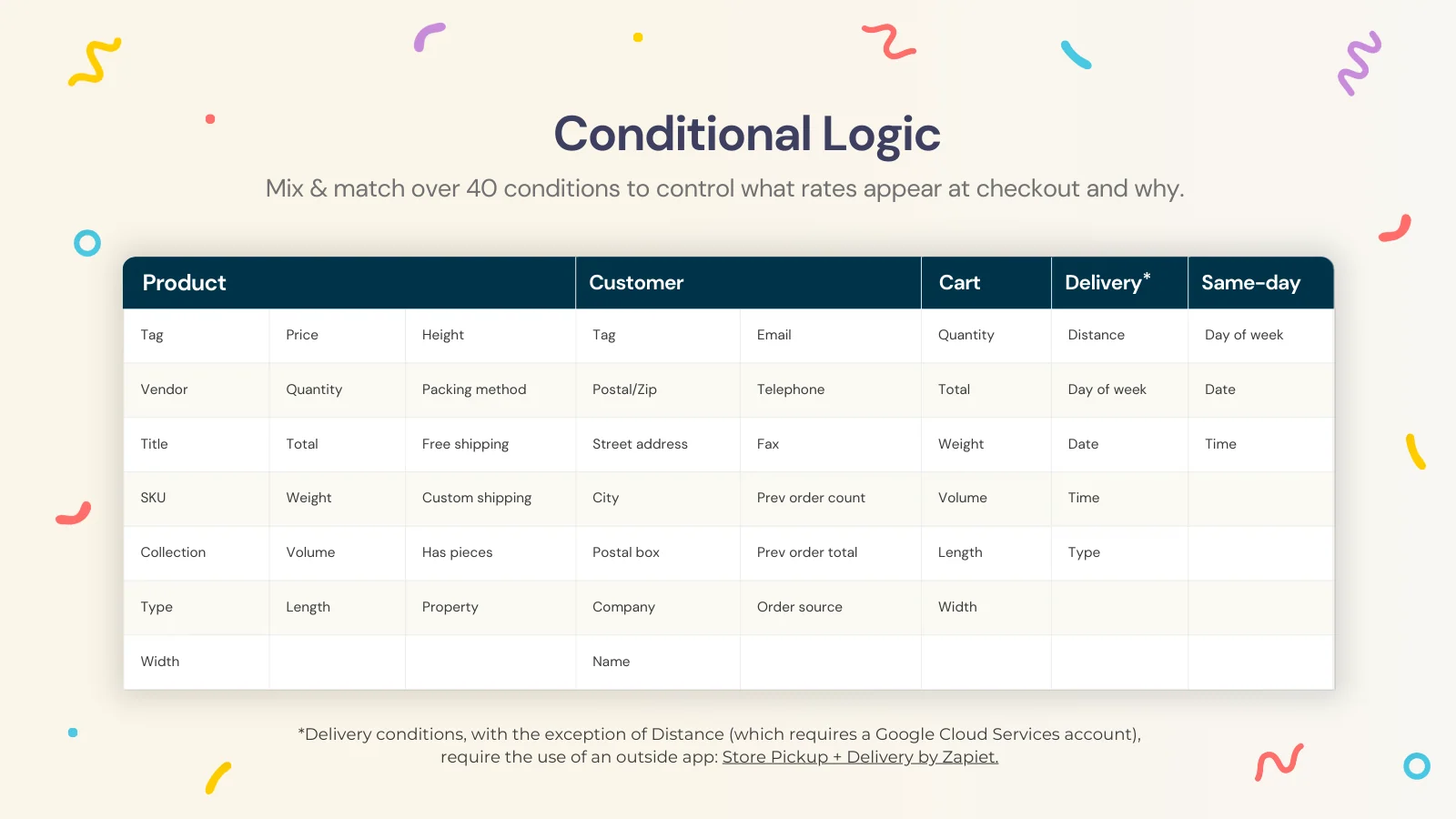
Intuitive Shipping helps furniture retailers manage shipping charges that cannot be handled easily with ordinary flat-rate shipping.
Shipping a bedside table is very different from delivering a large wardrobe. With this app, you can create rules based on product information, destination, order contents and other shipping conditions.
Why Choose Intuitive Shipping?
- Set different rates for bulky furniture: Separate large furniture delivery charges from smaller accessories.
- Create location-based rates: Adjust shipping fees according to delivery destinations.
- Combine multiple shipping rules: Handle orders containing products with different shipping requirements.
- Calculate dimensional shipping: Use supported package dimensions when calculating carrier rates.
- Offer different delivery services: Present suitable shipping options based on configured conditions.
For example, you could offer a $40 delivery charge for small furniture, $150 for wardrobes and a separate rate for remote locations.
What Types of Furniture Stores Is It Best For?
| Furniture type | How Intuitive Shipping helps |
| Large sofas | Oversized product shipping rules |
| Dining sets | Combined product shipping costs |
| Wardrobes | Special delivery charges |
| Home decor | Separate small parcel shipping |
| Furniture warehouses | Destination-specific rate calculations |
Plans and Pricing
| Plan | Monthly price | Included orders |
| Sandbox | Free | Testing only |
| Growth | $70 | 500 |
| Business | $150 | 2,000 |
| Professional | $300 | 5,000 |
Paid plans include a 15-day live trial.
Where Intuitive Shipping Falls Short
The starting subscription is relatively expensive for smaller furniture stores. You should also confirm that your Shopify subscription supports the required third-party shipping rate functionality.
Specialized freight and white-glove delivery services may need additional integrations or manually configured rates.
Our recommendation: Choose Intuitive Shipping when incorrect delivery charges are affecting your profit margins or preventing customers from completing their purchases.
Install Intuitive Shipping | Visit Official Website
5. Zapiet – Best for Furniture Delivery Scheduling
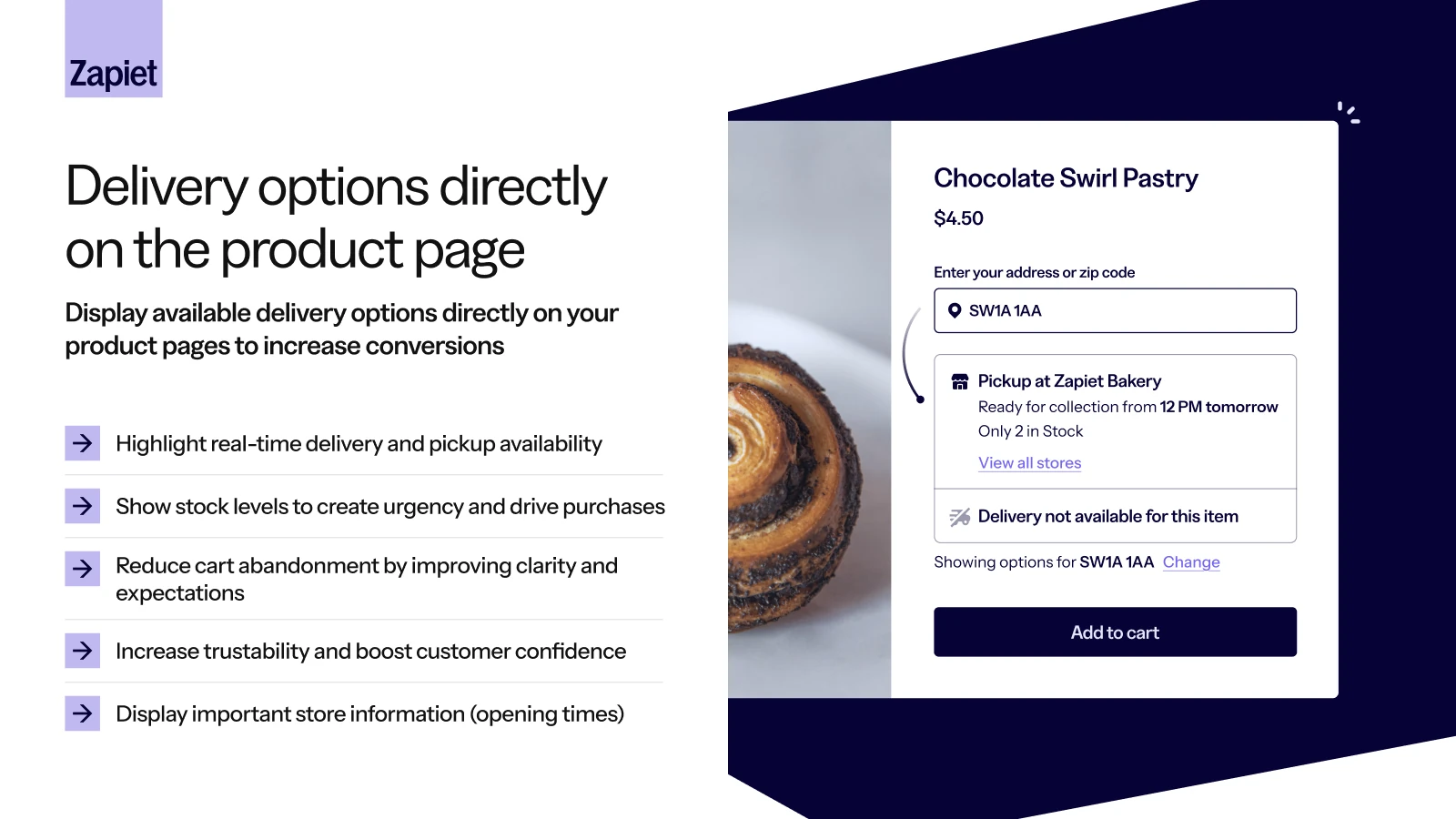
Zapiet – Pickup + Delivery allows furniture retailers to offer scheduled local delivery and showroom pickup. Customers can select available dates and time slots instead of contacting the store to arrange delivery after purchasing.
It’s especially useful for businesses operating their own delivery vehicles.
Why Choose Zapiet?
- Let customers schedule deliveries: Allow shoppers to choose an available delivery date.
- Offer showroom pickup: Customers can collect smaller furniture items from selected locations.
- Restrict delivery areas: Set delivery availability according to postcodes and service areas.
- Manage daily delivery capacity: Limit bookings based on how many orders your team can handle.
- Set preparation times: Allow sufficient time for furniture assembly or order preparation on supported plans.
What Types of Furniture Stores Is It Best For?
| Store type | How Zapiet helps |
| Local furniture retailers | Scheduled home delivery |
| Furniture showrooms | Customer pickup appointments |
| Mattress stores | Convenient delivery dates |
| Furniture warehouses | Collection scheduling |
| Multi-location furniture stores | Location-specific order management |
Plans and Pricing
| Plan | Monthly price | Locations | Monthly orders |
| Essential | $29.99 | 1 | 250 |
| Advanced | $79.99 | Up to 10 | 1,000 |
| Professional | $179.99 | Up to 100 | 2,500 |
All three plans include a 14-day free trial. Product-specific preparation times and date restrictions are available on higher plans.
Where Zapiet Falls Short
Furniture businesses with multiple warehouses or high order volumes may need a more expensive subscription. It also doesn’t replace a complete freight management system.
Our recommendation: Choose Zapiet if you manage local furniture deliveries or allow customers to collect orders from your showroom.
Install Zapiet | View Live Demo
6. STOQ – Best for Furniture Preorders and Deposits
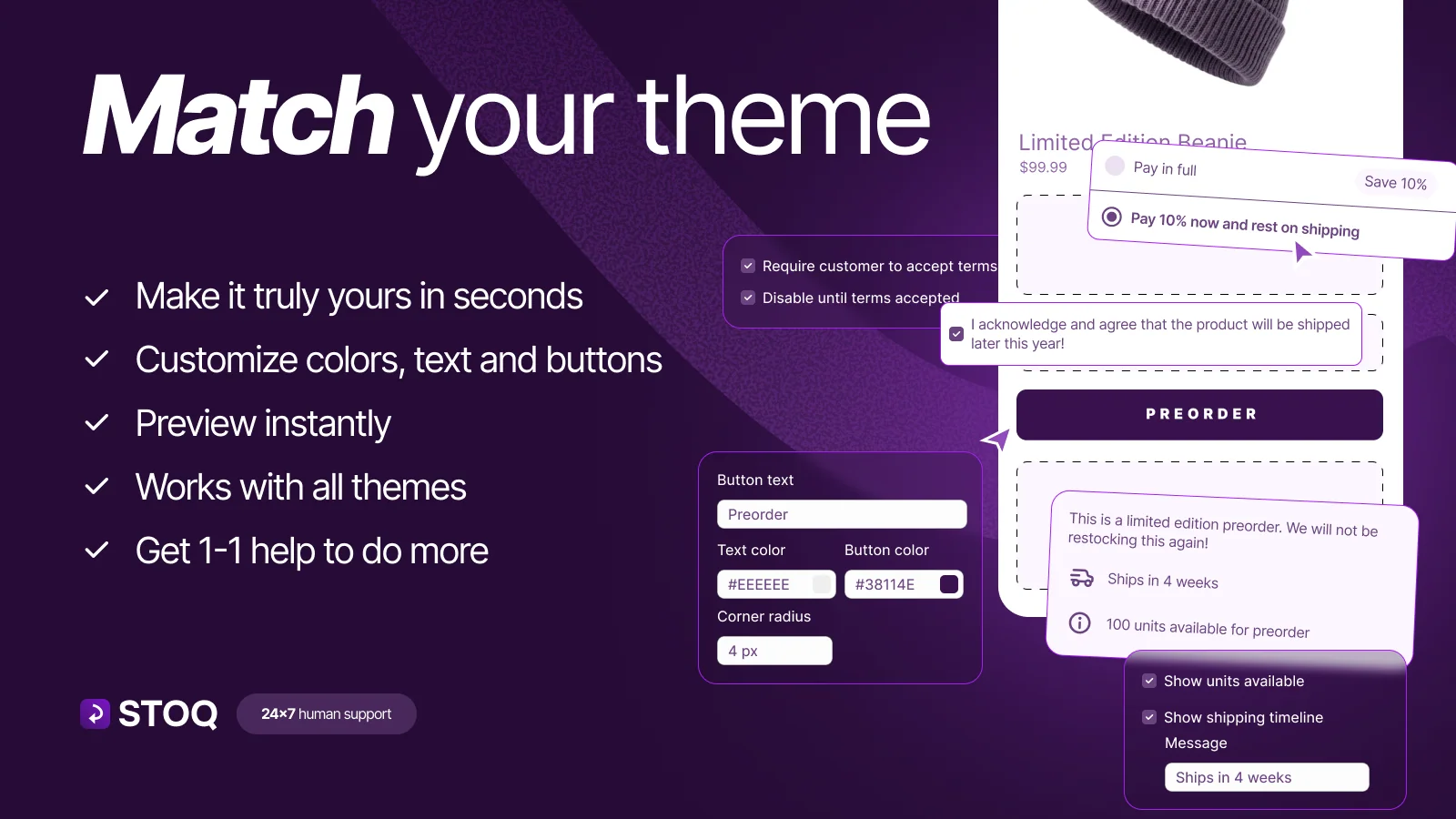
STOQ helps furniture stores continue accepting orders when products are unavailable or haven’t been manufactured yet. It supports preorders, partial payment arrangements and back-in-stock notifications.
Rather than displaying an out-of-stock message and losing a potential customer, you can give shoppers another way to purchase.
Why Choose STOQ?
- Accept made-to-order purchases: Allow customers to purchase furniture before production begins.
- Collect deposits: Offer supported partial payment arrangements for expensive furniture.
- Manage upcoming collections: Accept advance orders before new furniture arrives.
- Recover out-of-stock sales: Notify interested customers when products become available again.
- Communicate availability: Display preorder information so customers understand that products aren’t ready for immediate delivery.
What Types of Furniture Stores Is It Best For?
| Furniture type | How STOQ helps |
| Custom sofas | Accept orders before manufacturing |
| Handmade furniture | Manage advance purchases |
| Imported furniture | Accept orders before stock arrives |
| Luxury furniture | Collect deposits for eligible orders |
| Limited-edition collections | Manage prelaunch demand |
Plans and Pricing
| Plan | Monthly price | Included monthly preorders |
| Free | $0 | 10 |
| Lite | $10 | 100 |
| Pro | $29 | 400 |
| Unlimited | $69 | Unlimited |
Additional SMS and preorder overage charges may apply. Paid plans include a 14-day trial.
Where STOQ Falls Short
The free plan has limited preorder and notification allowances. You should also confirm that partial payments work with your payment provider, sales channels and preferred checkout process.
Our recommendation: Choose STOQ if you regularly sell furniture with long manufacturing times or receive stock in limited batches.
7. SA Request a Quote – Best for Bespoke Furniture
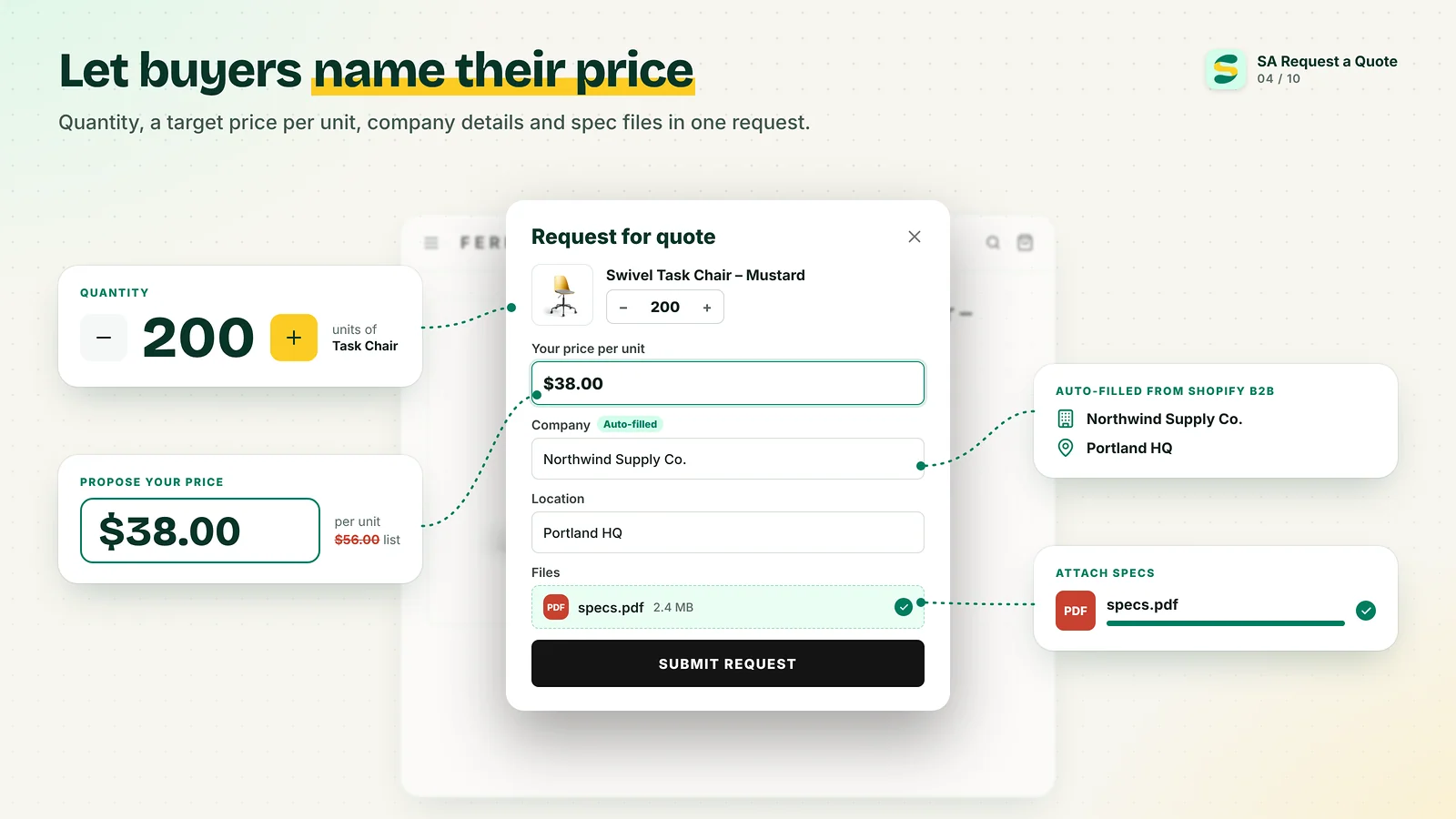
SA Request a Quote is useful for furniture businesses that cannot display a fixed selling price for every product.
For example, a bespoke wardrobe may have different costs depending on its dimensions, materials, internal layout, installation and delivery location. Instead of accepting an immediate purchase, the store can collect the customer’s requirements and prepare a quotation.
Why Choose SA Request a Quote?
- Collect detailed furniture enquiries: Create quotation forms based on your business requirements.
- Hide prices: Remove fixed prices from products that require individual quotations.
- Replace purchase buttons: Display a Request a Quote button instead of Add to Cart.
- Accept design documents: Collect drawings and reference photographs on supported plans.
- Convert quotations into orders: Turn approved quotations into Shopify orders on the Pro plan.
What Types of Furniture Stores Is It Best For?
| Store type | How SA Request a Quote helps |
| Bespoke furniture | Individual project quotations |
| Office furniture | Commercial and bulk enquiries |
| Kitchen manufacturers | Custom cabinet requirements |
| Hotel furniture suppliers | Large project enquiries |
| Luxury furniture retailers | Personalised sales consultations |
Plans and Pricing
| Plan | Monthly price | Best for |
| Basic | Free | Standard quotation requests |
| Premium | $16.99 | Custom forms and hiding prices |
| Pro | $36.99 | File uploads, PDF quotations and order conversion |
The Pro plan costs $69/month for Shopify Plus stores.
Where SA Request a Quote Falls Short
A quotation system adds another step to the purchasing process. Customers who want to purchase standard furniture immediately may find it frustrating.
Our recommendation: Use this app for bespoke furniture and commercial orders, but keep standard checkout available for products with fixed prices.
Install SA Request a Quote | View Live Demo
8. Lookbook Shop by Gallery Ace – Best for Shop-the-Room Galleries
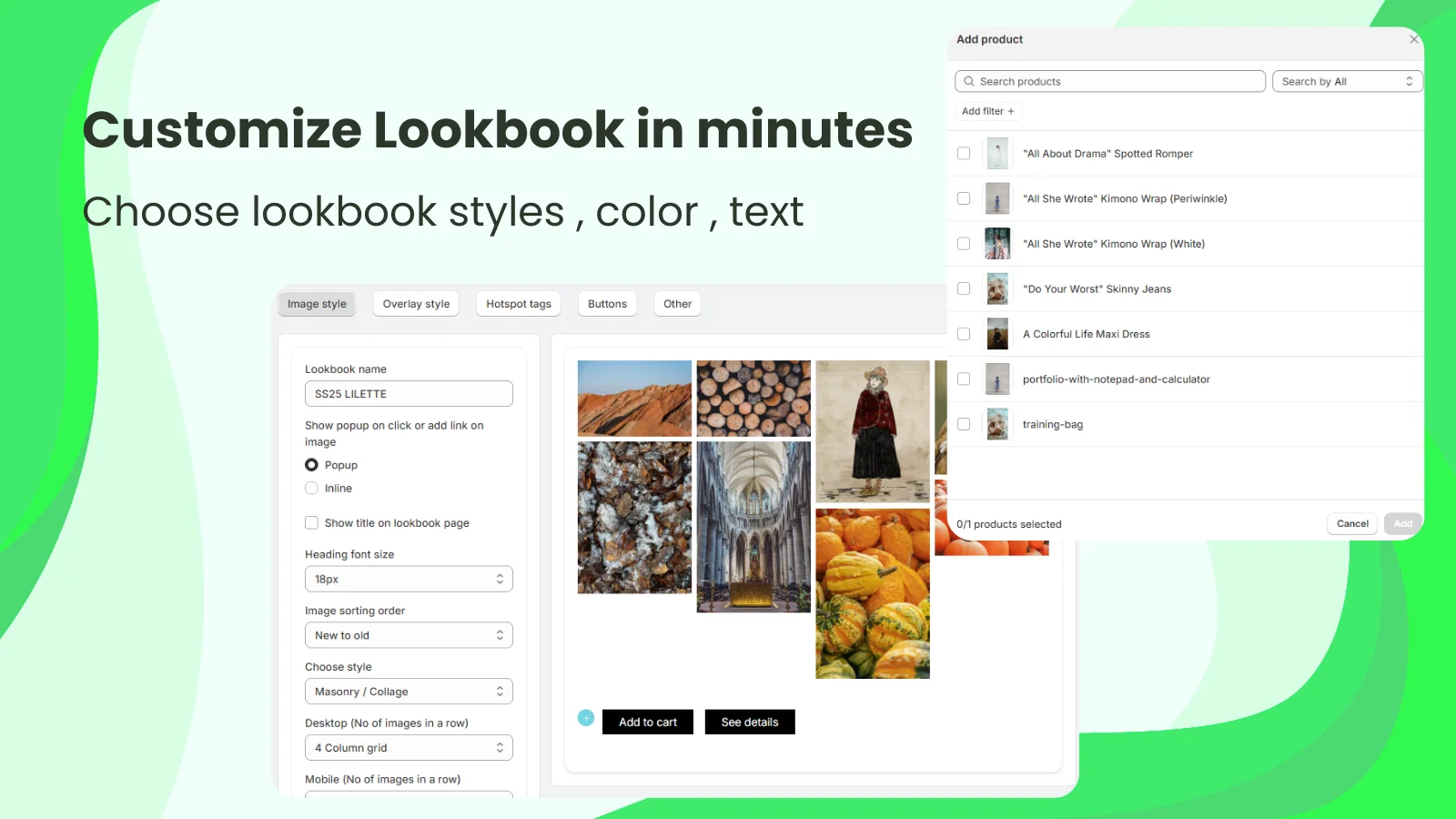
Lookbook Shop by Gallery Ace turns interior photographs into shoppable galleries.
Imagine a customer browsing a photograph of a furnished living room. Instead of searching separately for the sofa, coffee table, rug and sideboard, they can click product hotspots to find the items they like.
Why Choose Lookbook Shop by Gallery Ace?
- Create shoppable room designs: Connect lifestyle photographs with individual furniture products.
- Sell matching furniture: Help customers discover complementary pieces in the same room.
- Make lifestyle images useful: Turn existing interior photography into shopping opportunities.
- Create collection galleries: Organize photographs by room, furniture style or collection.
- Allow direct purchases: Let shoppers add featured products to their cart on supported plans.
What Types of Furniture Stores Is It Best For?
| Store type | How Gallery Ace helps |
| Living room furniture | Shoppable living room arrangements |
| Bedroom furniture | Coordinated bedroom collections |
| Outdoor furniture | Patio and garden inspiration |
| Home decor | Matching accessories and furniture |
| Designer furniture | Interior project galleries |
Plans and Pricing
| Plan | Monthly price | Gallery allowance |
| Starter | $0 | 1 gallery, up to 10 images |
| Basic | $4.99 | 4 galleries |
| Professional | $9.99 | 8 galleries with product tagging |
| Business | $19.99 | 20 galleries with product tagging |
Direct add-to-cart functionality and shoppable product tags are available on Professional and Business plans.
Where Gallery Ace Falls Short
You’ll need high-quality lifestyle photography to get the most out of the app. Adding galleries without optimizing their images can also affect page loading times.
Our recommendation: Choose Gallery Ace if you sell coordinated furniture collections and want customers to shop complete room designs.
Install Gallery Ace | View Live Demo
9. SampleKit – Best for Furniture Material Samples
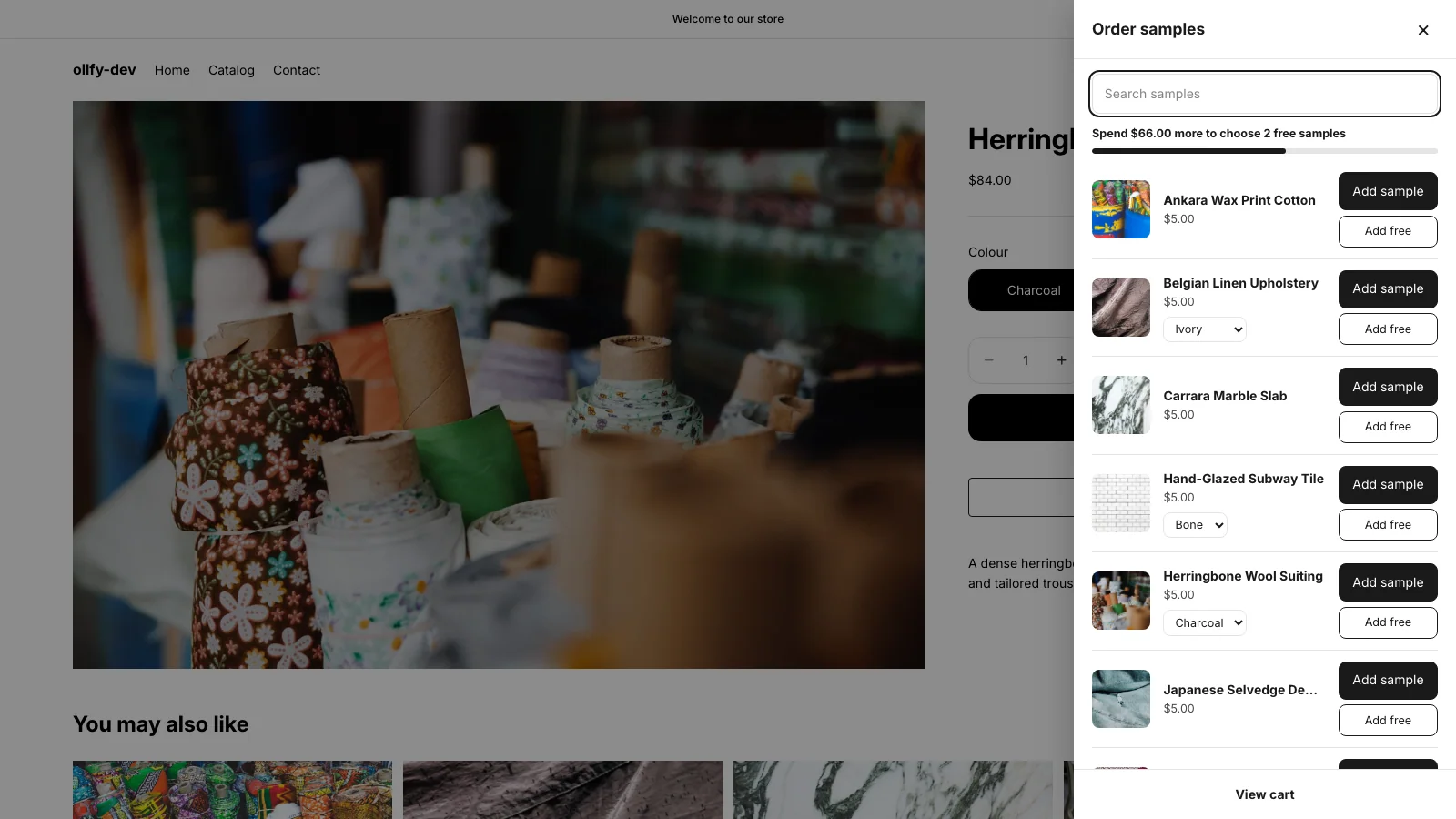
SampleKit lets furniture businesses offer material samples directly from their product pages. Customers can order fabric, leather or wood finish samples before committing to an expensive furniture purchase.
Physical samples are particularly helpful because colors and textures can appear differently on computer and mobile screens.
Why Choose SampleKit?
- Offer physical material samples: Add a sample ordering button to furniture product pages.
- Set individual sample prices: Charge different amounts for different materials.
- Separate sample products: Keep sample orders separate from full-size furniture stock.
- Limit sample quantities: Control how many samples customers can request using paid features.
- Follow up with interested shoppers: Use sample-order information with Shopify Flow to arrange follow-up communications.
What Types of Furniture Stores Is It Best For?
| Furniture type | How SampleKit helps |
| Upholstered sofas | Fabric samples |
| Leather chairs | Leather color samples |
| Wooden furniture | Wood finish samples |
| Beds | Headboard fabric samples |
| Cabinets | Paint and laminate samples |
Plans and Pricing
| Plan | Monthly price | Best for |
| Free | $0 | Sample ordering and individual sample pricing |
| Pro | $4.99 | Quantity restrictions, sample promotions and analytics |
The Pro plan includes a seven-day trial.
Where SampleKit Falls Short
SampleKit launched in October 2026 and had no merchant reviews when its listing was checked. Its long-term reliability and customer support are therefore less established than those of other apps on this list.
Our recommendation: Consider SampleKit if you want an inexpensive material sampling system. Test sample orders, shipping charges and stock management before launching it across your furniture catalog.
10. Shopify Search & Discovery – Best for Furniture Product Filtering

Shopify Search & Discovery is Shopify’s free app for managing storefront searches, product filters and recommendations.
Furniture customers often have specific requirements. Someone searching for a dining table may need a particular length, seating capacity, material and price range. Proper filters make finding suitable products much easier.
Why Choose Shopify Search & Discovery?
- Filter furniture by dimensions: Use suitable product metafields for width, height and depth.
- Filter by material: Help customers find wooden, metal, leather or upholstered furniture.
- Improve search results: Create synonym groups for related terms such as couch and sofa.
- Recommend matching furniture: Display complementary items on supported product pages.
- Understand customer searches: Review search activity to identify products customers struggle to find.
What Types of Furniture Stores Is It Best For?
| Furniture type | Useful product filters |
| Sofas | Seating capacity, fabric and color |
| Dining tables | Length, shape and material |
| Beds | Mattress size and frame material |
| Office desks | Width, storage and price |
| Wardrobes | Height, width and number of doors |
| Home decor | Style, color and material |
Plans and Pricing
| Plan | Monthly price |
| Free | $0 |
There are no separate paid subscription tiers.
Where Shopify Search & Discovery Falls Short
The app has relatively mixed merchant feedback, with a 2.7-star rating in the available listing. Storefront filtering also depends on theme compatibility, properly configured product data and Shopify’s filtering limitations.
Furniture retailers with particularly large catalogs or advanced search requirements may need a dedicated paid search app.
Our recommendation: Start with Shopify Search & Discovery before paying for another filtering app. Consider an alternative only when you encounter a specific limitation.
Install Shopify Search & Discovery
Which Shopify Apps Should You Choose for Your Furniture Business?
Not every furniture business needs a 3D configurator, custom pricing calculator or quotation system. A retailer selling ready-made furniture has very different requirements from a manufacturer selling bespoke cabinets.
Here’s where I would start for different furniture businesses.
| Business type | Recommended apps | Why |
| Ready-made furniture | Color Swatch King + Search & Discovery | Better product browsing |
| Custom wooden furniture | Easify + SA Request a Quote | Custom prices and enquiries |
| Luxury furniture | Zakeke + SampleKit | Product visualization and material samples |
| Sofa and upholstery stores | Color Swatch King + SampleKit | Fabric comparison and sample ordering |
| Made-to-order furniture | Easify + STOQ | Custom configurations and advance orders |
| Local furniture showrooms | Zapiet + Intuitive Shipping | Delivery scheduling and rate management |
| Wholesale furniture | SA Request a Quote | Bulk and commercial quotations |
| Furniture and home decor | Gallery Ace + Search & Discovery | Room inspiration and product discovery |
Start with two or three apps that address your biggest business problems. Adding more apps before you need them increases monthly expenses and creates more systems for your team to manage.
What to Check Before Installing Shopify Furniture Apps
Product Customization and Pricing Accuracy
Test your customization app using your most complicated furniture product.
For example, if you sell custom dining tables, check whether changing the length, width, wood type and finish produces the correct final price.
Make sure the same price appears on the product page, in the shopping cart and at checkout. Customer selections should also appear correctly in the Shopify order.
Shipping and Delivery Compatibility
Furniture shipping is often more expensive and complicated than ordinary parcel delivery.
Test orders containing small accessories, oversized furniture and multiple products. Check urban and remote delivery addresses, postcode restrictions, delivery fees and available delivery dates.
Never assume that a shipping app calculates freight costs correctly without testing your actual shipping rules.
Mobile Shopping Experience
Customers should be able to select materials, enter measurements, view product photographs and request quotations without struggling on smaller screens.
Pay particular attention to product customization forms, swatch selectors, delivery calendars and 3D viewers.
Inventory and Order Management
Custom product options do not always create separate inventory-tracked Shopify variants.
If you manufacture furniture using different materials, check whether the app tracks material availability or simply records the customer’s selections.
Also confirm that your production team can access all measurements, finishes, uploaded photographs and special instructions from the order.
Store Performance and App Costs
Check your product page performance before and after installing an app using Google PageSpeed Insights.
Furniture websites already tend to contain large photographs, lifestyle galleries and product videos. Adding visual customization tools can introduce additional loading requirements.
Read our guide on how to optimize Shopify images to improve your furniture product photography without unnecessarily increasing page weight.
Remember to calculate transaction fees, order limits and upgrade costs alongside monthly subscriptions.
When Should Furniture Stores Consider Custom Shopify Development?
Shopify apps can handle many furniture customization requirements, but they may struggle when a business has its own manufacturing and pricing rules.
Consider a furniture manufacturer selling custom wooden cabinets. Customers need to select:
- Cabinet length, width and height
- Wood species and material thickness
- Number of doors, drawers and shelves
- Surface finish and hardware
- Assembly and delivery services
Every selection can affect the amount of material required, manufacturing costs and final selling price.
A standard customization app may collect these selections, but it might not support the manufacturer’s complete pricing system.
Example: A Custom Furniture Price Calculator
| Customer selection | Example |
| Furniture type | Wooden sideboard |
| Width | 180 cm |
| Height | 75 cm |
| Depth | 45 cm |
| Wood type | Solid oak |
| Finish | Natural oil |
| Additional options | Two drawers and three doors |
| Estimated product price | $1,450 |
| Delivery | Quoted separately |
Illustrative pricing example.
Customers could configure their furniture, receive an estimated price and submit their complete configuration through a quotation form.
Your sales team would receive the measurements, selected materials and estimated price without asking the customer to provide the same information again.
A custom Shopify solution is worth considering when you need:
- Furniture-specific mathematical pricing formulas
- Modular furniture builders
- Custom quotation and approval systems
- Manufacturing or inventory integrations
- Complex freight calculations
- Restrictions between incompatible furniture components
- Product layouts that existing apps cannot support
At Prikton, we provide Shopify website design and development services for furniture businesses that need more control over their product pages, customization systems and shopping experience.
Our recommendation is to use an existing app when it meets your requirements. Invest in custom development when standard apps start limiting how your business operates.
Frequently Asked Questions
Is Shopify good for selling furniture online?
Yes. Shopify supports furniture catalogs, product variants, local delivery, inventory management and online payments. Furniture businesses can also use apps for custom pricing, material samples, quotations and product visualization.
What is the best Shopify app for custom furniture?
Easify Custom Product Options is our first recommendation for made-to-measure furniture because it supports customer inputs, conditional fields and formula-based pricing at a relatively affordable cost.
Can Shopify calculate furniture prices based on dimensions?
Yes. Apps such as Easify and Ymq Product Options support pricing formulas based on customer inputs. Furniture businesses with more complicated manufacturing rules may require a custom price calculator.
How can customers visualize furniture in their homes before buying?
Apps such as Zakeke support augmented reality, allowing customers to view suitable 3D furniture models in their surroundings using compatible devices. You need accurate product models for this functionality to work properly.
What is the best Shopify shipping app for large furniture?
Intuitive Shipping is a good choice for furniture businesses with complicated shipping rules. It supports configurable rates based on order contents, product information and destinations. Specialized freight services may require additional integrations.
Can I accept deposits for made-to-order furniture on Shopify?
Yes. Apps such as STOQ support partial payment and preorder arrangements. Check payment gateway compatibility, deposit collection rules and how the remaining balance will be collected before accepting orders.
How can I offer fabric and wood samples on Shopify?
You can create separate sample products or use a dedicated app such as SampleKit. Customers can then request physical material samples before purchasing the full-size furniture.
Are there free Shopify apps for furniture stores?
Yes. Shopify Search & Discovery is completely free. Easify, STOQ, SA Request a Quote, Gallery Ace and SampleKit also provide free plans with different feature allowances.
How many apps does a Shopify furniture store need?
There is no fixed number. A small furniture retailer may only need product filtering, visual swatches and delivery scheduling. A custom furniture manufacturer may require additional pricing, quotation and preorder functionality.
Final Thoughts
The best Shopify apps for furniture stores are the ones that make purchasing furniture easier while reducing unnecessary work for your business.
For custom furniture manufacturers, I’d start with Easify and SA Request a Quote. For traditional furniture retailers, Color Swatch King and Shopify Search & Discovery are good starting points.
If delivery costs are your biggest problem, prioritize Intuitive Shipping or Zapiet before spending money on visual customization tools.
Furniture customers already have plenty of decisions to make before purchasing. Your Shopify store should make those decisions easier, whether they’re choosing a fabric, checking measurements or arranging delivery. The right combination of apps can help you achieve that without making your store unnecessarily complicated.