
A good Shopify store speed score depends on the tool you use. In Google PageSpeed Insights, a performance score of 90 or higher is officially considered “good.” However, for a functioning ecommerce store with product images, tracking tools, reviews, and essential apps, a consistent mobile score between 70 and 89 is often a strong and realistic result.
In 2026, you should not judge Shopify performance from a single score alone. Shopify’s current Web Performance reports focus on real-user Core Web Vitals: Largest Contentful Paint, Interaction to Next Paint, and Cumulative Layout Shift.
A practical target is:
- Mobile PageSpeed score: 70 or higher
- Desktop PageSpeed score: 85 or higher
- LCP: 2.5 seconds or less
- INP: 200 milliseconds or less
- CLS: 0.1 or less
- All three Core Web Vitals passing for at least 75% of visits
A store scoring 75 but passing Core Web Vitals can provide a better real-world shopping experience than a store scoring 95 in a one-time laboratory test but performing poorly for actual customers.
What Google Considers a Good Performance Score
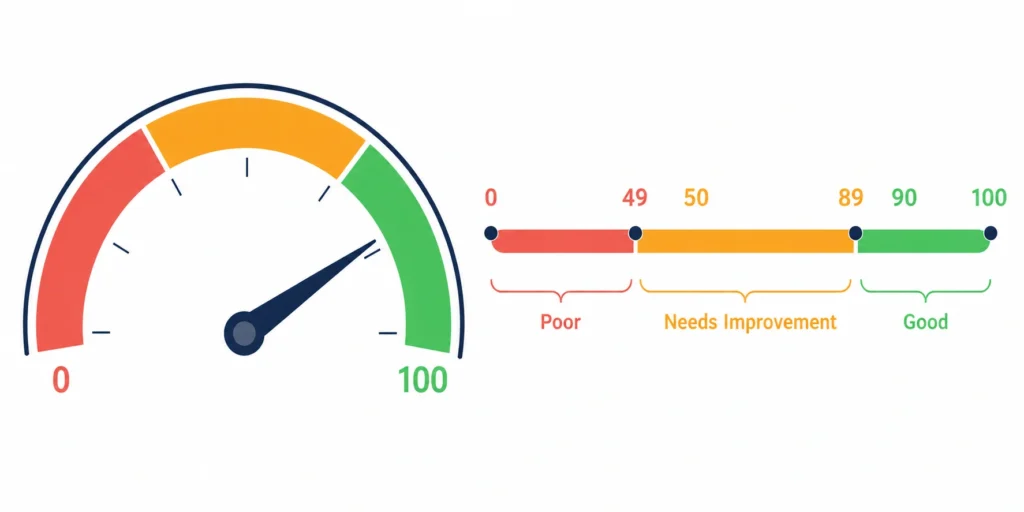
Google PageSpeed Insights uses Lighthouse to generate a laboratory performance score from 0 to 100. Google divides these scores into three categories:
| Performance score | Google rating | What it means |
| 90–100 | Good | The tested page performs very well |
| 50–89 | Needs improvement | Some performance problems remain |
| 0–49 | Poor | Significant problems likely affect visitors |
Google officially considers 90 or higher good, while 50–89 needs improvement. Nevertheless, PageSpeed scores can fluctuate between tests because Lighthouse simulates a particular device, network, and processing environment. Google PageSpeed Insights documentation
Run each page at least three times and use the median result instead of reacting to one unusually high or low test.
The Ideal Shopify Speed Score in 2026
The ideal score is not necessarily 100. Reaching 100 may require removing features that help customers buy, such as product reviews, search, personalization, analytics, or an accessible live-chat option.
For most established Shopify stores, these are reasonable mobile targets:
- Below 50: Poor and needs investigation
- 50–69: Acceptable starting point but needs improvement
- 70–89: Good for a feature-rich Shopify store
- 90–100: Excellent, although difficult to maintain
Desktop results are normally higher because desktop testing uses more processing power and a faster simulated connection. Always prioritize mobile performance because many ecommerce customers discover and purchase products from phones.
The best target is the fastest experience you can deliver without removing functionality that produces measurable business value.
Does the Shopify Speed Score Really Matter?
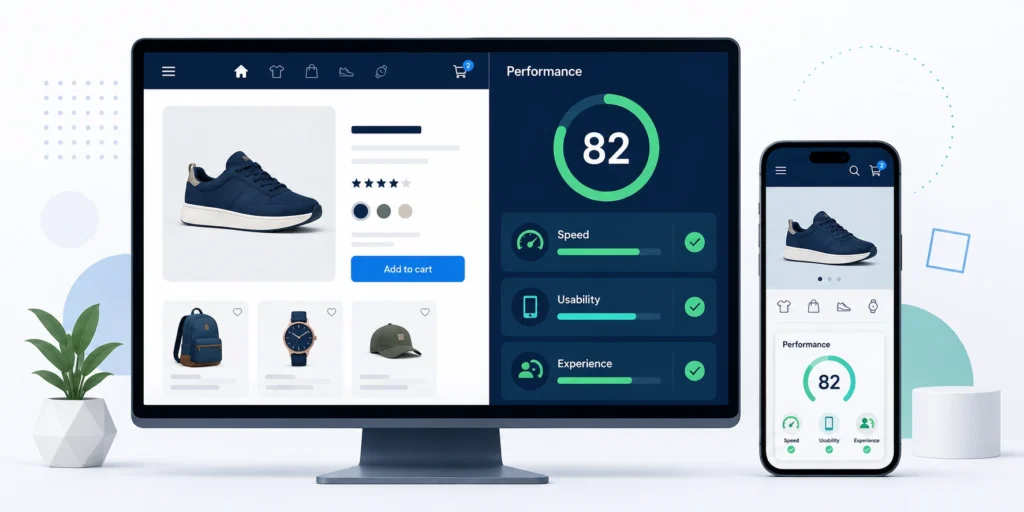
Yes, but the number itself matters less than the customer experience behind it.
A performance score helps identify technical problems, compare changes, and monitor trends. It does not directly tell you whether customers can quickly view a product, select a variant, add it to their cart, and complete checkout.
Instead of asking only, “Did the score increase?” also ask:
- Did product pages become visibly faster?
- Can customers interact with the page sooner?
- Did mobile conversion improve?
- Did bounce or engagement rates improve?
- Are fewer visitors experiencing layout shifts?
- Did an optimization break important functionality?
How Speed Affects SEO
Page experience and performance can affect search visibility, but speed is not a replacement for relevant, useful content. A fast product page will not automatically outrank a slower page with much better products, links, content, and search relevance.
Core Web Vitals are the most useful performance signals to monitor for SEO. Google evaluates these metrics using real-user data when sufficient data is available.
Shopify also states that better web performance can improve a store’s discoverability. Slow performance might make ranking more difficult, especially when competing pages are otherwise similar. Shopify’s web performance overview
How Speed Impacts Conversions
Customers become impatient when product images take too long to appear, buttons respond slowly, or content moves while they are trying to tap something.
These problems can lead to:
- More abandoned visits
- Lower product-page engagement
- Fewer add-to-cart actions
- Reduced conversion rates
- Lower customer trust
- A frustrating mobile experience
Speed should therefore be treated as a conversion-rate optimization issue, not only an SEO task.
Shopify Speed Score Benchmarks
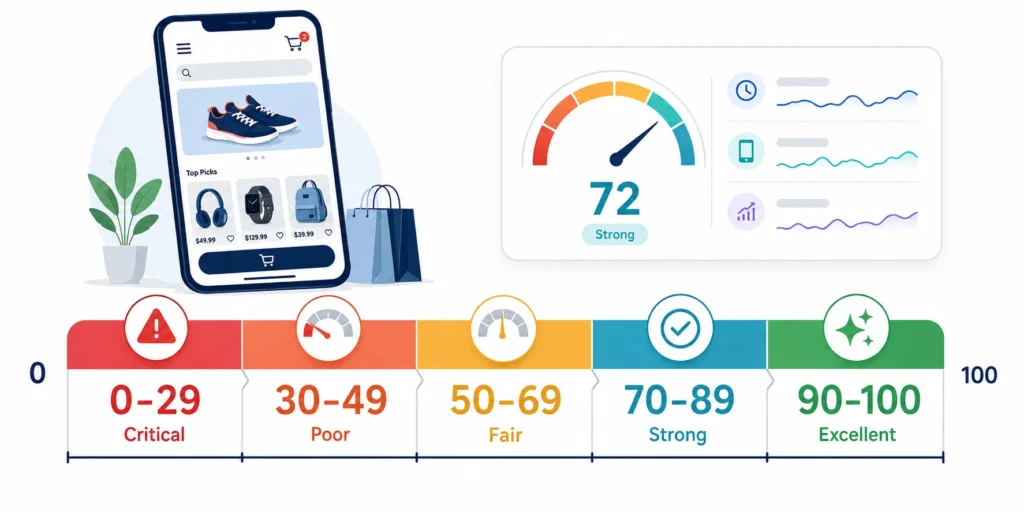
There is no reliable universal “average Shopify score.” Stores differ greatly in their catalog size, theme, apps, markets, tracking requirements, and page design.
The following benchmarks are practical targets rather than official Shopify averages.
Benchmarks by Score
| Mobile score | Assessment | Recommended action |
| 0–29 | Critical | Investigate scripts, theme code and media immediately |
| 30–49 | Poor | Complete a full performance audit |
| 50–69 | Fair | Fix the largest bottlenecks |
| 70–89 | Strong | Optimize selectively and protect conversions |
| 90–100 | Excellent | Maintain performance and monitor future changes |
A score of 70 is good for many active Shopify stores. It is not perfect according to Google’s Lighthouse categories, but it can represent a substantial improvement over competing stores.
Benchmarks by Store Size
Small stores with a simple theme, limited tracking, and few apps may reasonably target 80–95 on mobile.
Medium stores using reviews, email marketing, analytics, upsells, and multiple product templates can target 65–85.
Large international stores with complex navigation, personalization, translations, advanced tracking, and large catalogs may score 50–75 while still providing an acceptable real-user experience.
Store size does not automatically cause poor performance. Complexity, rather than the number of products alone, is usually the bigger issue.
Benchmarks by Theme
A clean Shopify theme without apps or extensive customization should usually perform better than a heavily modified storefront. However, the theme demonstration score cannot predict your completed store’s performance.
After installation, apps, fonts, images, videos, tracking scripts, custom sections, and merchandising decisions change the result.
Shopify requires Theme Store submissions to achieve a minimum average Lighthouse performance score of 60 across home, product, and collection pages on its benchmark store. This is a minimum acceptance standard, not a guarantee that every finished store will score 60 or higher. Shopify Theme Store requirements
Why Your Shopify Store Speed Score Is Low
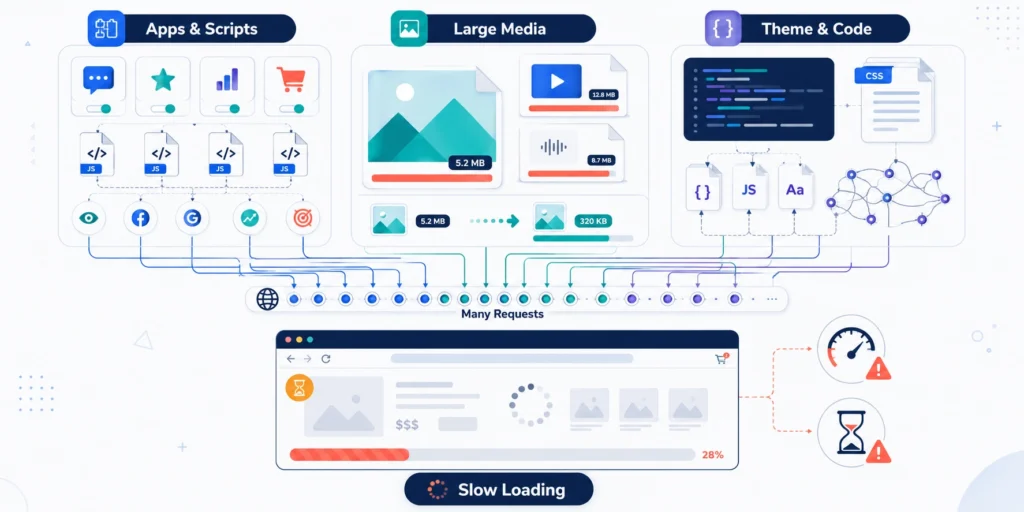
A low score is usually caused by several smaller problems working together rather than one single file.
Apps and Third-Party Scripts
Apps can add JavaScript, CSS, tracking requests, widgets, and external network connections. Reviews, live chat, popups, heatmaps, loyalty programs, personalization, and upsell tools can be particularly demanding.
An app may affect pages even when its widget is not immediately visible. Uninstalling it may also leave old snippets or assets inside the theme.
Do not remove apps based only on their technical cost. Compare that cost with their revenue or operational value. Then remove duplicate, unused, or low-value functionality first.
Images and Media Files
Large hero images are common causes of poor LCP. Oversized collection images, animated banners, auto-playing video, and unnecessary sliders can also increase loading time.
Use correctly sized responsive images and avoid lazy-loading the main image visible above the fold. Below-the-fold images should normally be lazy-loaded.
Shopify already provides an image CDN and automatic image optimization, but the theme must request appropriate image dimensions to benefit fully.
Theme and Custom Code
Poor theme performance can come from:
- Large JavaScript bundles
- Duplicate libraries
- Render-blocking scripts
- Excessive homepage sections
- Complex Liquid loops
- Unused CSS
- Multiple font families and weights
- Code left by deleted apps
- Scripts loaded on every template
Custom features should be loaded only where they are required. For example, a product-specific tool generally should not load on every blog and collection page.
Shopify Speed Score vs Core Web Vitals
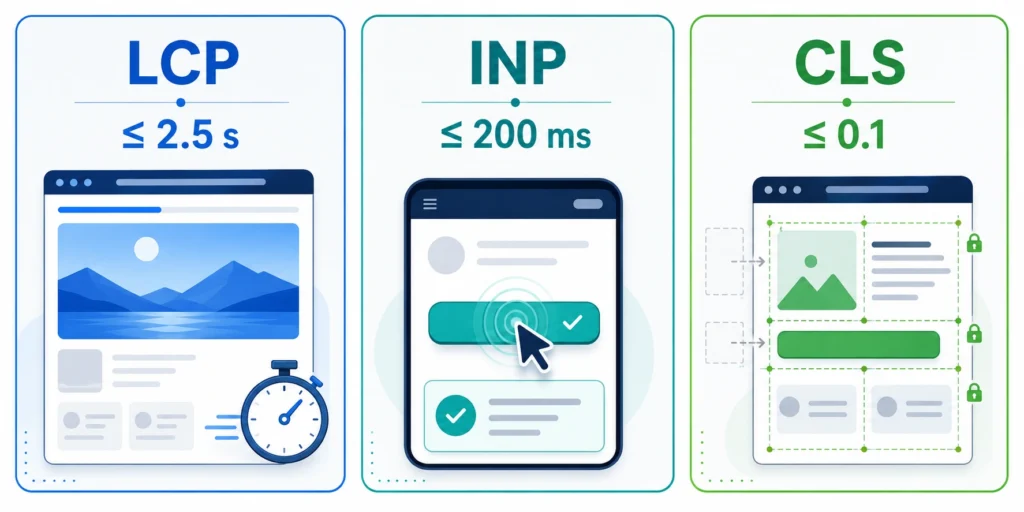
A Lighthouse score and Core Web Vitals are related, but they are not interchangeable.
| Measurement | Lighthouse score | Core Web Vitals |
| Data source | Simulated laboratory test | Real customer visits |
| Result | Score from 0–100 | Individual metric values |
| Main use | Diagnosis and controlled comparison | Monitoring actual user experience |
| Variability | Can change between individual tests | Stabilizes as more data is collected |
| Scope | One tested page at a time | Eligible visits across pages and devices |
Shopify’s current Web Performance dashboard emphasizes Core Web Vitals rather than relying on the older idea of one overall store speed score. Its reports use real-user monitoring and can show how app installations, theme updates, and code changes affect performance. Shopify Web Performance reports
Which Metrics Matter Most?
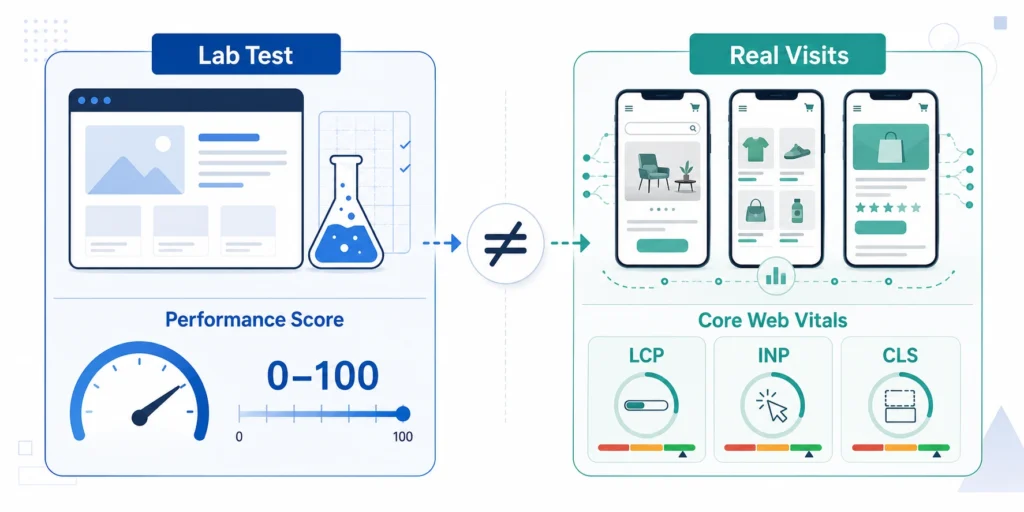
Focus on these three metrics:
Largest Contentful Paint (LCP) measures how quickly the main visible content loads. Good performance is 2.5 seconds or less.
Interaction to Next Paint (INP) measures how quickly the page visually responds after an interaction. Good performance is 200 milliseconds or less.
Cumulative Layout Shift (CLS) measures unexpected movement of page content. Good performance is 0.1 or less.
Google evaluates these thresholds at the 75th percentile. That means at least 75% of measured visits should receive a good experience. Google’s Core Web Vitals guidance
How to Check Your Shopify Store Speed
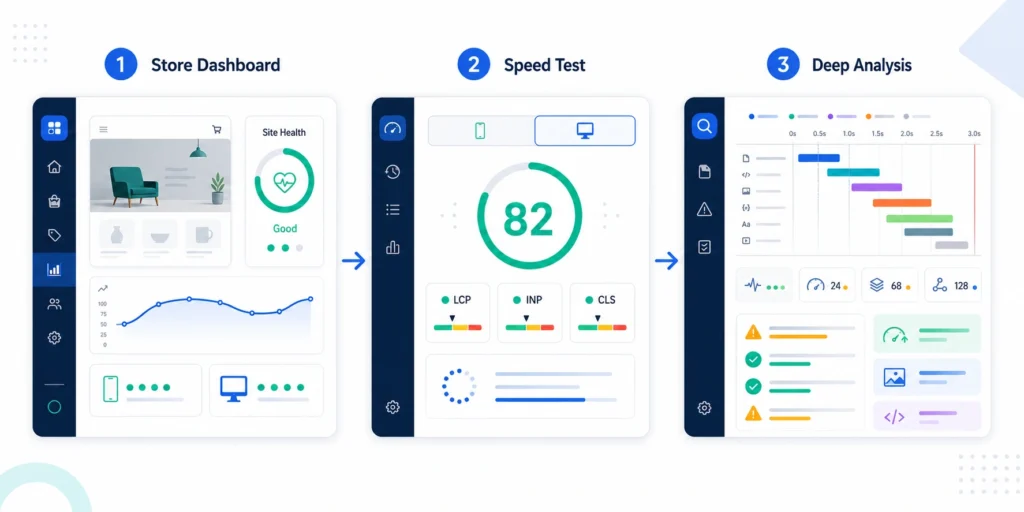
Do not test only the homepage. Test your homepage, a collection page, a typical product page, your heaviest product page, and an important landing page.
Shopify Admin
Go to Online Store → Themes to view the Web Performance summary, or open Shopify’s Web Performance reports from Analytics.
These reports use actual visitor data and separate loading speed, interactivity, and visual stability. Data may take time to appear, especially for a new or low-traffic store.
Use these reports to detect changes after installing an app, publishing a new theme, or adding custom code.
Google PageSpeed Insights

Test individual URLs in PageSpeed Insights. Start with the mobile report.
The report may contain two different types of data:
- Field data collected from real Chrome users
- Lighthouse lab data produced during the test
Give field data greater priority when it is available. Use laboratory diagnostics to identify possible causes and test fixes.
GTmetrix and Lighthouse
GTmetrix is helpful for examining the page waterfall, request order, third-party domains, file sizes, and long-loading resources.
Lighthouse is available through Chrome DevTools and is useful during theme development. Test in an incognito window, minimize background activity, and run several tests.
How to Improve Your Shopify Speed Score
Begin with changes that reduce unnecessary work for the browser without changing the shopping experience.
Quick Wins
- Remove unused apps and leftover app code.
- Replace oversized banners with properly sized images.
- Reduce the number of slideshow images.
- Limit font families and font weights.
- Lazy-load images below the fold.
- Remove unused tracking pixels and tag-manager tags.
- Reduce unnecessary homepage sections.
- Disable animations that provide little customer value.
- Avoid auto-playing background videos on mobile.
- Test the published theme rather than the theme-editor preview.
Keep backups before changing theme files, and test product forms, carts, search, menus, and tracking afterward.
Advanced Optimizations
Advanced work may include splitting JavaScript by template, delaying non-critical app scripts, reducing main-thread work, optimizing Liquid loops, removing unused CSS, reserving dimensions for dynamic elements, and replacing large libraries with native browser features.
The main product image should be prioritized rather than lazy-loaded. Below-the-fold reviews and recommendation widgets may be loaded later or after user interaction.
Shopify recommends limiting JavaScript, avoiding parser-blocking scripts, using responsive images, and loading non-critical resources only when needed. Shopify theme performance practices
Ongoing Maintenance
Performance optimization is not a one-time project. Apps, campaigns, new media, tracking tools, and theme updates can gradually make a store slower.
Check performance:
- Before and after installing an app
- Before and after publishing a theme update
- After adding major homepage content
- After changing analytics or advertising tags
- Monthly for active stores
- Before major seasonal campaigns
Record the scores, Core Web Vitals, tested URLs, date, and major store changes. This creates a useful performance history.
Common Shopify Speed Score Mistakes
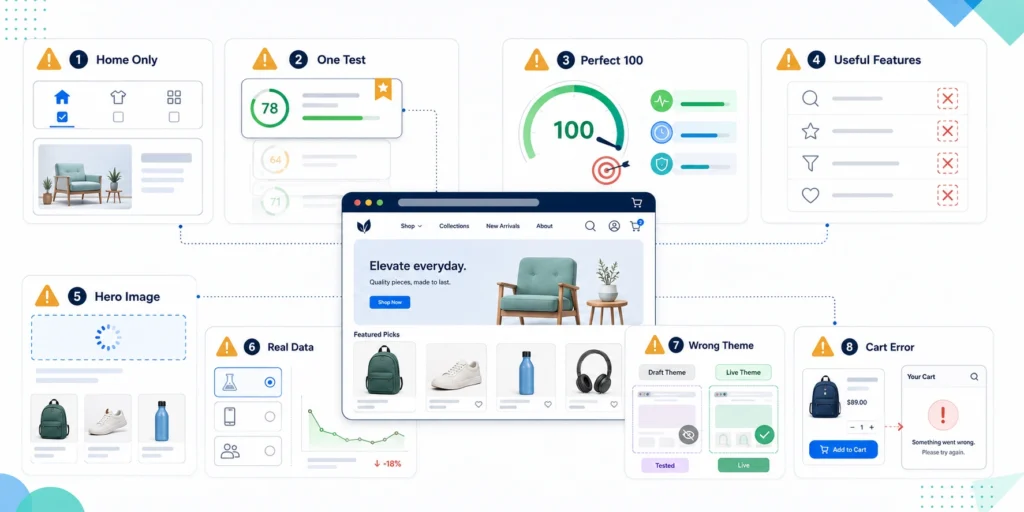
The biggest mistake is chasing 100 while ignoring revenue and usability. Other common problems include:
- Testing only the homepage
- Trusting a single PageSpeed run
- Comparing mobile and desktop scores directly
- Removing useful functionality without measuring its value
- Installing speed apps without understanding their changes
- Lazy-loading the main hero or product image
- Hiding content to manipulate test scores
- Ignoring real-user performance data
- Optimizing a duplicate theme but testing the live theme
- Failing to check cart and tracking functionality after changes
A higher score is valuable only when the store remains usable, accurate, and conversion-focused.
What Speed Score Should You Actually Aim For?
Aim for a mobile PageSpeed score of at least 70 and work toward 80 or higher when your store’s design and functionality allow it. A score above 90 is excellent, but it should not come at the expense of essential customer features.
More importantly, aim to pass all three Core Web Vitals:
- LCP of 2.5 seconds or less
- INP of 200 milliseconds or less
- CLS of 0.1 or less
My direct opinion: a stable score of 75 with passing Core Web Vitals, strong conversions, and no usability problems is better than an artificial score of 95 achieved by stripping the store of valuable functionality.
FAQs
What is a good Shopify speed score?
A mobile PageSpeed score of 70–89 is strong for many functioning Shopify stores. Google officially labels 90–100 as good, but Core Web Vitals and real customer experience deserve greater priority.
Is 70 a good Shopify speed score?
Yes. A score of 70 is a respectable result for a store using essential ecommerce apps and tracking. Continue improving major bottlenecks, but do not remove profitable features solely to increase the score.
Can I reach a 90+ speed score?
Yes, especially with a lightweight theme, limited apps, optimized media, and careful custom development. It becomes more difficult as storefront complexity increases.
Does Shopify speed affect SEO?
Yes, page performance can affect search visibility and user engagement. However, it works alongside content quality, relevance, authority, crawlability, and other SEO factors.
Which Shopify theme is the fastest?
There is no permanently fastest theme for every store. Shopify’s free Online Store 2.0 and Horizon-family themes are designed with performance in mind, but your apps, media, settings, and customizations determine the final result.
How often should I check my speed score?
Check it monthly and after important theme, app, tracking, or content changes. High-traffic stores should monitor Core Web Vitals more frequently.
Why did my speed score suddenly drop?
Possible causes include a newly installed app, new tracking tag, larger image, video banner, theme update, third-party outage, or normal Lighthouse test variation.
Can apps reduce Shopify performance?
Yes. Apps can add scripts, styles, widgets, and third-party connections. Keep apps that deliver real value and remove unused or duplicate tools.
Is Shopify’s speed score accurate?
Shopify’s current Web Performance reports are useful because they reflect real visits. PageSpeed Insights is also accurate for its simulated test, but neither should be interpreted without understanding how its data is collected.
What is the average Shopify speed score?
There is no dependable average that applies to every Shopify store. Use your previous results, Core Web Vitals, competing stores, and conversion data as more meaningful benchmarks.