Bigcommerce to
Shopify
Move your products, customers, order history, and store content from BigCommerce to Shopify with a carefully planned migration. We take care of data transfer, SEO redirects, and essential store setup. Want to know the potential cost? Use our free Shopify Migration Cost Calculator to estimate your migration budget.

Keep the details
that matter.
Products & collections
We map BigCommerce products, variants, images, categories and agreed fields into a clear Shopify catalogue.
Customers & orders
Customer records and order history are checked for compatibility, available fields and the chosen migration method. Password transfer is reviewed separately.
URLs & search
Important URLs, metadata and content get a mapping plan. We prepare agreed 301 redirects and check priority destinations.
Features & integrations
Your current BigCommerce features are reviewed against Shopify, native settings, replacement apps and any custom work.
Design & store setup
The Shopify storefront is rebuilt around your brand, products and key shopping journeys. Theme and app costs are agreed separately.
Testing & launch
Sample records, variants, mobile journeys, cart and key links are checked. We coordinate final data changes and the domain switch.
Know what moves.
Know what needs a new home.
We review your BigCommerce exports and test sample records before confirming the transfer. Here is the starting checklist for your migration.
| Store information | What we review for transfer | What to plan for |
|---|---|---|
| Products & variants | Available titles, descriptions, SKUs, prices, inventory, weights, variant options and product images. | Variants and product modifiers are reviewed separately. Custom inputs, price adjustments and option rules need an agreed Shopify approach. |
| Categories & collections | BigCommerce category trees, product assignments, brands and main navigation. | Category trees become Shopify collections and menus. Brands and filters are mapped to suitable fields and storefront settings. |
| Customers & addresses | Available names, emails, phone numbers, billing and shipping addresses. | Consent fields are reviewed separately. Customer passwords are not included in a standard transfer. |
| Historical orders | Agreed order records, line items, totals, dates and customer associations where supported. | Order numbers, statuses, totals, tax, refunds and fulfilment fields are sample-checked. Historical orders need an agreed migration app or API route. |
| Pages & blog content | Agreed BigCommerce web pages, blog posts, images and key store policies. | Stencil templates, Page Builder widgets and custom storefront code are rebuilt for Shopify rather than imported as editable theme sections. |
| SEO & URLs | Available page titles, meta descriptions, image alt text and an agreed redirect map. | Shopify uses its own URL structure. Important old URLs are mapped to relevant new pages. |
| Reviews & custom data | Available product reviews, custom fields, brand data and other agreed information. | Export access, field types and the receiving review app or Shopify metafield setup are confirmed before the transfer. |
| Storefronts & pricing | Sales channels, storefronts, currencies, customer groups and price list requirements. | The Shopify store structure, business pricing and required plan or apps are agreed separately. Channel rules do not automatically transfer. |
| Discounts & subscriptions | Current promotions, subscription products, loyalty and gift card requirements. | Rules and balances require individual review. Recurring billing and payment tokens need a supported provider route. |
The final scope lists the record volumes, fields and exceptions approved for your store. No blanket promise that every BigCommerce field or feature can be transferred.
A careful move.
From first review to launch.
- 01
First, we understand your store.
We audit the current platform, catalogue, customer and order data, pages, URLs, apps and essential features. The scope and the risks are clear before the move begins.
- 02
Then, we map what moves.
We plan the data fields, record volumes and destination structure. Important URLs, content and customer journeys are included in the migration blueprint.
- 03
Your Shopify store takes shape.
We transfer the agreed records, rebuild or refine the storefront and configure the Shopify features and integrations your business needs.
- 04
Search visibility gets a plan.
Metadata, priority pages and old URLs are reviewed. We prepare 301 redirects and check the mobile and technical details before launch.
- 05
We check the whole journey.
Records, products, navigation, apps, payments and checkout are tested against the agreed scope. You review the store before the domain switch.
- 06
A supported move to live.
We coordinate the launch, check the new store and handle agreed adjustments. Your team receives the guidance it needs to settle into Shopify.
The details behind
a working Shopify store.
Your data is one part of the move. We also plan how customers find products, place orders and return to shop again.
Search & redirects
- Inventory priority product, category and content URLs.
- Map old links to relevant Shopify destinations and check for broken links.
- Review agreed metadata, internal links and sitemap readiness.
- Record a pre-launch baseline so changes can be reviewed after launch.
Apps & integrations
- List the job each BigCommerce app and custom integration performs.
- Choose native Shopify features, suitable apps or agreed custom work.
- Review ERP, inventory, shipping, email marketing, reviews and fulfilment connections.
- Confirm app fees, ownership and required access before setup.
Design & shopping flow
- Keep familiar brand elements and useful content where practical.
- Rebuild the agreed pages in a suitable Shopify theme.
- Review collections, filters, product options and mobile navigation.
- Check the cart, delivery information and the route to checkout.
Redirects and technical checks reduce avoidable issues; search rankings and traffic can still change after a platform move.
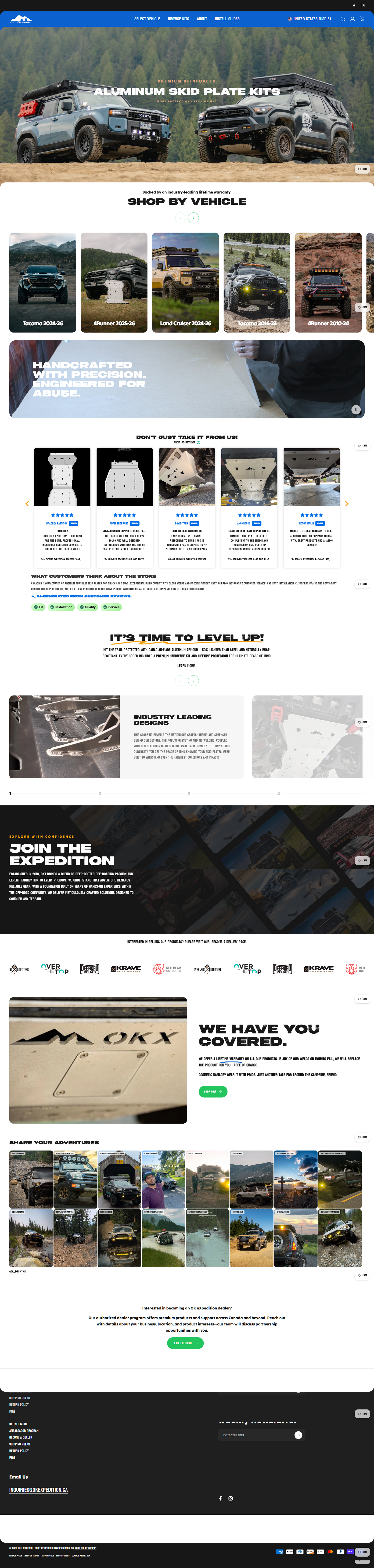
A few stores we’ve brought to life.
A little personality. A thoughtful shopping experience. Plenty of details worth a closer look.



Keep selling.
While we build what’s next.
Your BigCommerce store can usually stay live while the new Shopify store is prepared separately. The final switch happens after review and sign-off.
Before the move
Agree exports, access, record counts and a source-data backup. Test a sample import so field mapping and exceptions are visible early.
While the store is built
Check products, customers and agreed orders against the source. Review navigation, mobile layouts and integrations with you.
At launch
Agree the final data cut-off, handle new records within scope, test a checkout and coordinate the domain change. Check key redirects and links.
After the switch
Review live orders, form delivery, analytics and priority customer journeys. Provide an agreed support window and a guide for everyday Shopify tasks.
Any checkout pause, final import window, DNS timing and rollback approach are agreed before launch. Keep the old store and its backups available until the migration is signed off.
Your store.
Your migration plan.
We start with a review of your BigCommerce store: catalogue size, data quality, content, URLs and integrations. You receive a scoped quote and timeline before the project begins.
Your existing store can usually stay available while Shopify is prepared separately. The final sync, domain switch and any short launch window are planned around your operations.
Search rankings can fluctuate after a platform move. Redirect mapping, content checks and monitoring help manage the transition.
A clear starting point.
A quote built around your store.
Choose a starting scope and send us your BigCommerce URL. We confirm data volumes, functionality, delivery dates and the final quote after the review.
Essential move
For a smaller, straightforward catalogue.
Include:
- Up to 25 products
- Up to 5 standard content pages
- Product and collection setup
- Standard customer data import
- Agreed priority URL redirects
- Store settings and launch checks
Store migration
For an established store with more to carry over.
Include:
- Up to 100 products
- Up to 10 standard content pages
- Products, collections and customer records
- Historical order import, where supported
- SEO mapping and agreed redirects
- Review of up to 3 app connections
Migration + rebuild
For a larger move and a refreshed storefront.
Include:
- Up to 200 products
- Up to 15 standard content pages
- Agreed catalogue and customer/order data
- Theme-based storefront rebuild
- App and custom-field mapping review
- Launch coordination and team handover
All demo packages include a sample data check, a mobile review and agreed handover guidance. Product counts refer to parent products; variant counts and total records are reviewed separately. Shopify subscriptions, paid themes, apps, migration tools and third-party fees are separate. Product modifiers, multiple storefronts, advanced customer pricing and custom integrations need a separate scope.
A more involved move? Large catalogues, subscriptions, multiple languages or complex integrations need an individual scope.
Request a tailored quoteA few things you might be wondering.
Can everything move from BigCommerce?
Not every platform field or feature has a direct equivalent. The audit confirms what transfers, what needs rebuilding and any data or account limitations.
Will customers need a new password?
Customer passwords are generally not portable between platforms. We confirm account setup and any customer invitation process during planning.
What happens to existing links?
We inventory priority URLs and map agreed redirects to Shopify destinations. Metadata and important content are reviewed alongside them.
How long does a migration take?
The timeline depends on the catalogue, data quality, integrations and design scope. We confirm it after reviewing your current store.
Can you help after launch?
Yes. The proposal sets the launch support window. Further improvements or ongoing maintenance can be scoped separately.
What happens to product modifiers and customer pricing?
We review variants, modifier inputs, price adjustments, customer groups and price lists before the build. Each requirement is mapped to a suitable Shopify feature, app or custom solution and priced within the agreed scope.
Can I keep my existing design?
We can use the current site as a starting point and recreate agreed elements in Shopify. BigCommerce Stencil themes, Page Builder widgets and custom storefront code do not transfer as editable Shopify theme sections; the rebuild is scoped separately.
Will my BigCommerce store stay live?
Usually, yes. Shopify is prepared separately. We agree a final update window and domain switch so orders received during the build are accounted for within the migration scope.
What happens to subscriptions and saved payment details?
Recurring subscriptions, saved payment details and billing tokens need a supported app and payment-provider migration route. They are reviewed separately and are not included in a standard product or customer import.
Are Shopify, theme and app fees included?
The demo prices cover the stated service scope. Shopify plans, theme licences, paid apps and any third-party migration tool charges are separate and approved before purchase.
Your Shopify chapter.
Starts with a plan.
Tell us where your store is today and where you want to take it. We’ll help you find a practical next step.
Start a conversation